










 |
| Version v24.03.1:
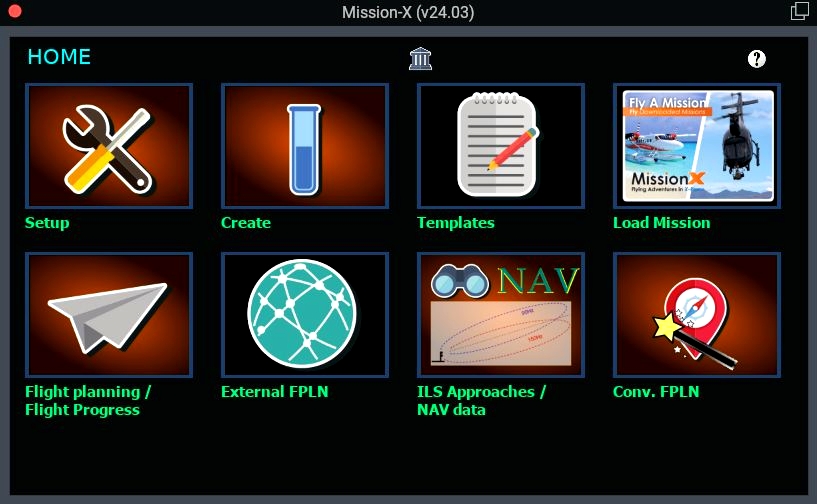
1. Focuses on better integration of the Nav Data with the other screen.
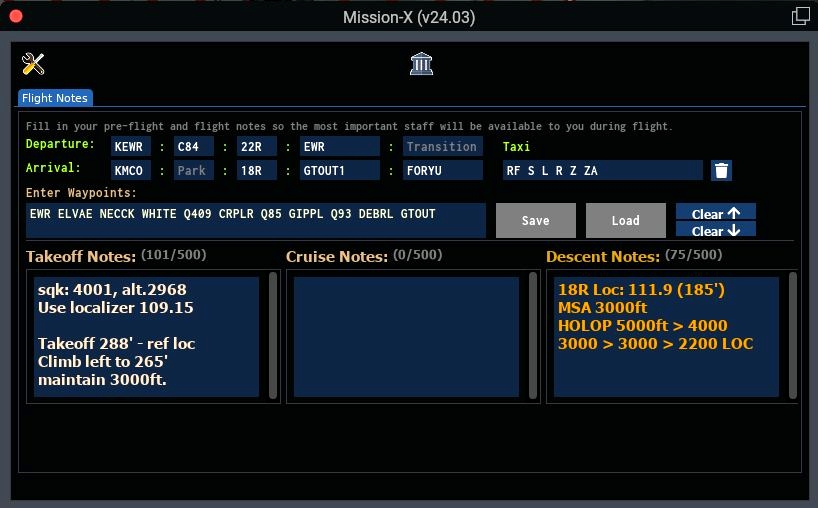
2. Adds a simple "Flight planning" screen. Fill it before starting any mission, whether it was generated by the plugin or not. I use it mostly in IFR flights especialy in VR.Introduction
Mission-X is an X-Plane plugin that can help in:
- Generate Random Missions for Helicopters and Planes a like.
Supports overpass based templates to generate medevac missions (Community example can be found on @daikan github page) - Run pre-defined missions that were shared by other community members (example in x-plane.org site or maybe even in the current site).
- Provide a framework to build your own adventures (You can use other missions as a template and build on it, simple editor will do the trick).
- Generate ILS missions: place your plane in an airport and search for other ILS airports around. It is a simple, one leg mission, but at least you can generate a quick ILS flight to train, meaning, you will have to prepare the whole flight/charts weather etc..., the plugin will only provide you with a destination ramp/terminal.
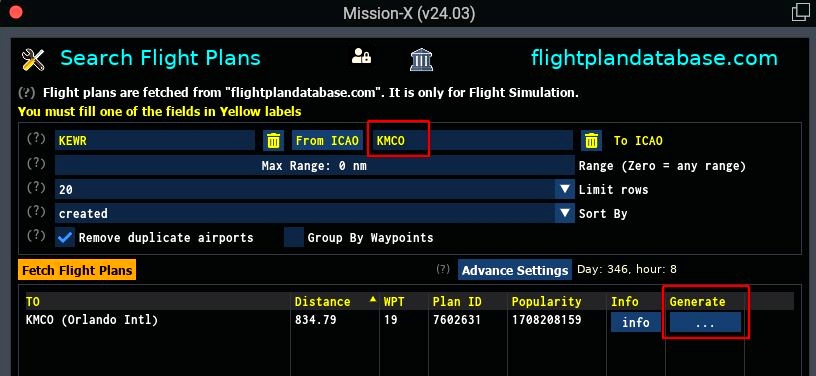
- Generate missions based on "flightplandatabase.com" site: Fly one of the pre-defined routes from "flightplandatabase.com".
- Convert flight plan from LittleNavMap to mission files and then use it as a base for your own mission pack by expanding it to make it more engaging.
The plugin is evolving all the time and run best on X-Plane 11, although it is also compatible with X-Plane 12 (early access).
For best results, you should also download "custom scenery library" files like:
RescueX: https://www.rotorsim.de/component/jdownloads/download/4-andere/9-rescuex?Itemid=3111
3D People: https://forums.x-plane.org/index.php?/files/file/26611-3d-people-library/
R2: http://r2.xpl.cz/
OpenSceneryX: https://www.opensceneryx.com/
MisterX: https://forums.x-plane.org/index.php?/files/file/28167-misterx-library-and-static-aircraft-extension/
CDB: https://forums.x-plane.org/index.php?/files/file/27907-cdb-library/
RuScenery: http://ruscenery.x-air.ru/
Handy Objects: https://forums.x-plane.org/index.php?/files/file/24261-the-handy-objects-library/
My site can be found in: "http://snagardev.weebly.com/", you can get a cross platform java based installer for the plugin, unfortunately it is not compatible with this site rules (but you can get it from the plugin page).
If you would like to support my work, you can go to this page and press the "donate" link. Thanks
Installation
The plugin is compressed in ".7z" format.
1. Place the file in "{X-Plane}/Resource/plugins" folder.
2. Extract the compressed plugin file.
Plugin folder structure should look something similar to:
missionx
├── db
├── docs
│ └── license
├── libs
│ ├── 64
│ ├── bitmap
│ ├── fonts
│ ├── sql
│ ├── sqlite
│ └── text_to_speech-google
├── lin_x64
├── mac_x64
├── save
├── templates (pre-defined random mission templates)
└── win_x64
3. Download the "Random Scenery Pack".
3.1 Create folder "missionx" in "{XP}/Custom Scenery"
3.2 Save the file in "{XP}/Custom Scenery/missionx"
3.3 Extract the file (a new folder by the name "random" will be created).
The Random Scenery pack is needed to generate random missions. This will be the folder it will write its mission file and overrite it every new random mission is created.
4. MacOS users only, post installation steps (if not already done before):
======================================================
=== Troubleshooting Library issues on MacOS
======================================================
The latest build uses the OS cURL shared library, so ther is no need to use the custom build I provided for this specific library.

If you still have issues, please use "otool", if it is installed, you should run the following command from {xp} installation folder:
$ cd {X-Plane root folder}   (installation folder)
$ otool -L Resources/plugins/missionx/64/mac.xpl
Troubleshooting
Linux and OSX troubleshoot information can be found in the README.txt file at the root folder of the plugin, it explains how to fix missing libraries in OSX and Linux.
For any issues/suggestions you can contact me at: "[email protected]"
Blue Skies
Saar

HeartofDavid74
I can't quite seem to get this working 100%. It doesn't upload co-ordinates to my gps. Also, it asked me to hover over the scene for 14 seconds and I did for like 2 minutes at different heights, etc and nothing happened.
snagar.dev 4 month(s) ago
Just saw your comment.
Please contact me directly by e-mail: "[email protected]".
I might need the mission file to test it myself and in the hope to find the root cause for that.
snagar.dev 22 day(s) ago
I believe I fixed the issue at hand few versions back.
Sorry for not replying here earlier, I forgot were I read this issue but I remembered the issue.
Hope the hovering bug is fixed and you can re-test a mission.